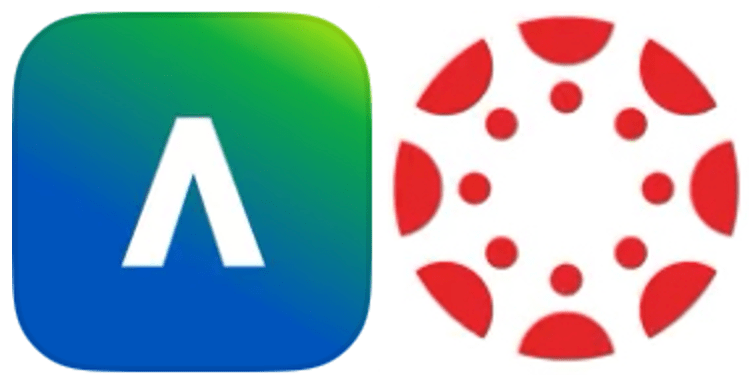
This week, we were asked to pick a website we visit frequently. Then we were suppsoed to pick a competitor’s website and compare the two in terms of UI (User Interface) and UX (User Experience). User Interface is how the website feels or looks, basically its astetchics. On the other hand, User Experience is how the website functions and if it is user friendly or not.
And what website does a graduate student visit most often? The one with all their school work on it, obvioualy!
For a little context, at the start of this fall semester, we were transitioned from Blackboard to Canvas. I had been using Blackboard for the past three years while completeing my Bachelor’s degree. I felt like I was finally getting a hang of it and understanding all its little quirks and intricicies. Then we go and change to Canvas! For my last year. Anyone who knows me knows how much I hate things changing on me. Luckily, I had used Canvas in the past, so I was familiar with it and how it operated. I actually missed Canvas when I had to start using Blackboard three years ago. Fortunately this was a good change.
I decided to choose Canvas and Blackboard for this little comparison assignment. At this point I was familiar with both of them to pretty much know right off the bat what I liked and disliked about both platforms. The full results and all of the observations I made can be veiwed down below, but I will highlight some of the main features mentioned.
First off, the logos. You can see them at the top of this page. Do either one of those scream educational platform to you? I’m sure unless you’re familiar with one or both platforms you can’t even tell which is which. Well let me tell you. Blackboard is on the left and Canvas is on the right. Who got that right? The Blackboard logo depicts a caret, somewhat educational I guess. At least it’s grammar related. The Canvas logo on the other hand is an aerial view of an octopus. Yep, that’s right. Don’t ask me what an octopus has to do with coursework or education. In this aspect neither one of them are any good.
Another main feature I mentioned was the overall dashboard overview. For this, I think Canvas takes the win. Not only does it show upcoming assignments on the right-hand side of the screen, but it also gives more options right off the bat for the individual courses. In Blackboard’s version, the individual classes have to be clicked on to access anything pertaining to them. However there are icons at the bottom of each course to access discussions, annoucements, etc. I also really like how Canvas allows for individual color coding and even nicknaming of the classes. I don’t have to remember what long name and number a course has anymore. I can simply give it my own name.
 From Nockmaar to Tir Asleen
Leave a comment